Setup
When run for the first time, Load Entry users, furnaces, operations, recipes, and parts (if applicable) must be created. Depending on your situation, SSi technicians may have assisted you in populating this information.
This manual is written with a suggested order of setting up items. SSi suggests this order based on the most logical progression of steps for configuring LE3. The sections below detail setup of the following components, in this order: users, options, operations, furnaces, recipes, and parts.
To start Load Entry, open the LoadEntry.Windows program from the Start Menu. By default, this program shortcut is located in the SuperSystems program group.
When first opened, the Overview screen will be displayed:
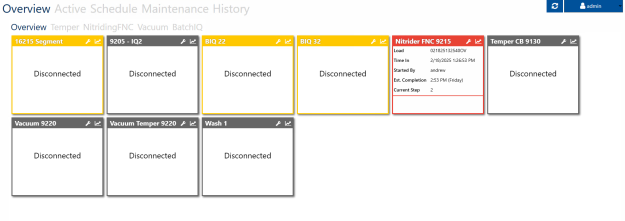
This screen is explained in more detail here. Once logged in with administrator access (by using the Login button at top right), you may continue with the setup.